Friday, March 20, 2015

Blog #I chapter 4

In chapter 4 there is a Tech tool 4.1 that is used for Lesson Planning, Lesson planning is hard, there are classes at Universities dedicated to lesson planning and creating syllabuses, but in this Tech tool it provides you with multiple websites that are free that teachers and students can use. These are interactive websites that teachers can use for a class lesson. one website that seemed to have it all was Annenberg Learner (www.learner.org), this site provides interactive activities on social studies, science, mathematics, foreign language, literature, language arts, and history. These sections are also broken up into grades.

Tech tool 4.2 is all about Web Resource and Apps for Teaching. One site that caught my attention and seemed to be broad but well put together is the Teaching Channel, it is an online video resource for teachers to provide to students of all grade levels. Some of the video topics are student behavior, assessment strategies, and meeting the Common Core State Standards. This tech tool also provides information on cool applications that help students learn to read, write, do math, take quizzes, etc.
Teacher Channel Video

Tech tool 4.3 is a section about Web Resources and Apps for Student Assessment. Online there are websites that quiz students on different subjects. There are also apps that can help teachers grade students work, on their phones or computers or I pads. Grade Pad helps teachers assess a students academic work and calculates the score on a mobile device. I think that is neat because when I was in Elementary school teachers had to calculate your grade with a calculator!


Resources :

  • Annenberg Learner. www.learner.org. Copyright 2015 The Annenberg Foundation. Retrieved March 20th 2015. 
  • Maloy, R., O'Loughlin, R., Edwards, S., & Woolf, B. (2013). Transforming Learning with New Technologies. 2nd Edition. Boston, MA: Pearson Education Inc. 
  • Teaching Channel. https://www.teachingchannel.org/. Retrieved March 20th 2015. 
  • Grade Pad. http://gradepad.com/home.php. Copy Right 2009. Retrieved March 20th 2015. 

Wednesday, March 11, 2015

Chapter 9 #H


When I think of schools using technology it leads me to think of robots and science projects, but in reality students are learning more and more by a teacher using technology and teaching the class with multimedia technology. Multimedia technology has been somewhat around since  was in middle school and it is where teachers show videos and interactive classroom games for students to get involved with each other. Multimedia gives students an face-to-face interaction as well as works their brain to get them thinking. Multimedia is also important with online classes.

Digital projectors and document camera are both used in some classrooms, I grew up when teachers were just transitioning into using digital projectors in classrooms. A digital projector is pretty much a projector that has better clarity, color, and allows the teacher to freeze the screen so it stays on one thing while they are explaining a lesson. The document camera shows graphs, pictures, and text to students on a screen. this comes in handy when a teacher is reading a book, but the school cannot afford to buy every student a copy, so the teacher can use to document camera to provide pictures from the book, and the words they are reading to the students.

Video resources are very useful for teachers. There are a lot of positive/informational web programs out there for teachers to use for lessons, such as TeacherTube, and PBS Learning Media. YouTube provides a lot of informational resources for teachers and for students! These video resources provide videos and lesson plans of all subjects and are internet based.

https://tackk.com/s16j2r


Resources: 
  • Maloy, R., O'Loughlin, R., Edwards, S., & Woolf, B. (2013). Transforming Learning with New Technologies. 2nd Edition. Boston, MA: Pearson Education Inc. 
  • Tackk.com. Created by Breana Marceau. Retrieved March 11th from https://tackk.com/s16j2r. 
\

Thursday, February 26, 2015

Chapter 10 #G

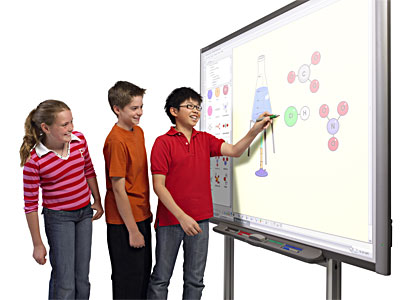
While reading Chapter 10, there is a specific tech tool talked about in here, that are called interactive whiteboards. Interactive whiteboards engage the whole class with learning words and phrases while to the students it seems like a game! There are some animated parts to the interactive whiteboards where it can teach multiple students and challenges them to go further. So it's fun for them and helps them learn.
whiteboardimage Interactive Whiteboards: Using them in the Music Classroom.
Interactive whiteboards


In chapter 10 there is a concern of special education students in need of learning and using technology, which is very true! Even students with special needs learn how to do school through Interactive whiteboards connecting sounds with pictures! Special needs students are sometimes known as non-verbal so, schools get funding for these buttons that the student presses when they are happy or sad, or when they want something which has proven to help a lot in schools! I know from personal experience because I helped out in a high school special education classroom with non-verbal students and it was amazing how smart they really were but they just couldn't express themselves or what they wanted to say in any other way.

Apps

 Visual learning seems to be becoming more common due to technology which is good! Interactive electronic storybooks helps students learn literature on the computer. It combines words and pictures with sounds and effects. This to me almost sounds like a 3D book! Which to me sounds AWESOME. Now these interactive electronic storybooks are so popular in schools that there are applications for them to bring along on your phone.


Works Cited:

  • Douglas Cruickshank.(2007). A Clean Slate: Interactive Whiteboard Makes Lessons Snazzy. Retrieved February 26th 2015. 
  • Maloy, R., O'Loughlin, R., Edwards, S., & Woolf, B. (2013). Transforming Learning with New Technologies. 2nd Edition. Boston, MA: Pearson Education Inc. Retrieved February 26th 2015. 
  • Interactive Whiteboards: Using them in the Music Classroom. A Fun Music Company Website Copyright © 2014. Retrieved February 26th 2015. 
  • Marceau, Breana (2015, February 26th) Promoting Success for all Students through Technology. Created with http://www.Canva.com

Thursday, February 19, 2015

Post #F Chapter

When I think about online communication I think about my online classes where we communicate through the internet via discussions, websites, blogs (such as this one) and they are all used to transfer information from on to another. It is used for teaching and learning and getting out of your comfort zone. This is called educational networking, where teachers and students engage in social networking.


In this generation of technology booming, a lot of communication happens through text messages and emails. Now when I think about text messaging and learning I don't think to much learning is going on, BUT there is an exchange of what goes on in class such as homework assignments, lessons and notes throughout the class, which does help a bit if you weren't in class that day. Emails are a pretty professional way of communication with a teacher in today's world. Teachers can build structure for a student in and out of class with emails now. 
Skype. Skype is a video chat website/app that you use to communicate with. A lot of online classes use Skype to present presentations, or speeches. You can connect with other students and your teacher while not even being in the same room as them. You can Skype on the go even with your cell phone because there is a Skype app. Skype is free of charge and offers phone calls!  

Works cited: 
  • Maloy, R., O'Loughlin, R., Edwards, S., & Woolf, B. (2013). Transforming Learning with New Technologies. 2nd Edition. Boston, MA: Pearson Education Inc. 
  •  Sorrentino, Johanna (2008). Online Education: Study Shows Social Networking a Boon for Education. Retrieved on February 19th 2015.  
  • Youtube.com

Thursday, February 12, 2015

Chapter 7 blog #E

In chapter 7 it obviously talks about technology, but how can these techniques help you in the future? Well, I just discovered that students from kindergarten to high school are learning about this new tech tool 7.1 called Squeak and Scratch. These are two separate things that teachers use both of these as a cognition learning technique. Squeaker Etoys is free downloadable software that supports inquiry learning and problem solving in mainly math and science. Scratch is another tool that helps students design their own games or animate their own stories which is really neat! They get to touch onto their artsy side as well as learn. Now the question is, is what is so great about these two totally different websites? They both use object orientated learning such as visual learning and keeps the students thinking about what they can discover next!

http://www.squeakland.org/

Gamification- the application of game elements to non-gaming situations, often motivate or influence behavior.
Now gamification to me sounds like a very interesting way of learning, I believe it could help students feel like they aren't doing school work and that they are just having fun. I also believe it is a good method of learning because it takes the stress away from other school related thoughts. Now the games I am talking about now with this new term of gamification are games like Jeopardy, where its quizzing the students. I have also seen a lot of Jeopardy games going on in classrooms before a test because I think it is a fun way of learning. Not only does it help students learn the material but it also gets their minds processing words and questions faster.

http://youtu.be/fCXqt8LDAVw


Simulation gaming to help learn? WHAT?! When I read this I was amazed! The game puts you in a real world situation and its a game that makes you think about your decisions. You have a virtual experience through the game so it all feels real! This to me sounds awesome because you get put into a virtual world and you can become someone else for a moment. Teachers can use this for extra credit points or just for fun learning.


Works Cited
  • Maloy, R., O'Loughlin, R., Edwards, S., & Woolf, B. (2013). Transforming Learning with New Technologies. 2nd Edition. Boston, MA: Pearson Education Inc.
  • Welcome to Classroom Jeopardy.by EducationalInsights. Via www.Youtube.com. Posted 2012. Retrieved Feb 12th 2015. 
  • Squeak and Scratch www.squeakland.org. Powered by StoryMills. Retrieved Fed 12th 2015. 


Friday, February 6, 2015

Blog #D chapter 5

In chapter five there is a lot of information for teachers for making online websites, sharing photos of a lesson and even books. There is a a photo website safe for teachers to use and share photos called Flickr (www.flickr.com). This website demonstrates how to send photos that have been taken, teaches you how to maneuver through the site and organize photos so they don't look sloppy. I actually like this site because it is well organized itself, it proves that you can get connected with technology in steps. Flickr is also an app for your phone or tablet!

Which leads me into E-books and E-readers, today our society is very technology based, especially with children and teens. We see more and more kids with expensive tablets, phones, E-books, and E-readers, now this can't be a bad thing considering it helps with their literacy. An E-book is an Electronic books that can be read on the go, you can read magazines, books, newspapers, and more. The E-book also resembles an Ipad, Kindle, and Sony reader. All are used for reading, I think it is great that these have come about, because students can bring them to class or have them at home and get the benefit of learning and reading fluently.
Another good thing about technology for teachers, is being able to check plagiarism. This has helped keep other students and/or scholar's papers from being owned by someone else. Now some colleges have certain trusted sites where they can submit a students paper into a website and see if it has anything similar to another persons paper. It is truly amazing what technology has come to!  


Resources: 
  • Maloy, R., O'Loughlin, R., Edwards, S., & Woolf, B. (2013). Transforming Learning with New Technologies. 2nd Edition. Boston, MA: Pearson Education Inc.
  • Flickr.com. Accessed February 6th 2015 
  • Marceau B. (2015, Feb. 6th) Plagiarism. Created by bitstrips.com

Thursday, January 29, 2015

Chapter 3

Chapter 3 Blog C 


There are two different methods that caught my attention, teacher centered learning and student centered learning. This got me because usually learning is all about the student, but if the teacher doesn't know what they are talking about how can the student learn?! The teacher centered learning method is where knowledge is known by everyone but can be fixed to where students are able to understand, this is where teachers find a way to make learning easier and more understandable. 
Student centered learning is an approach where the teacher finds a way for students to engage in classroom activities and be able to bring those activities home. Students create there goals, and participate on problem solving and reflect there views. 

Teacher and Student centered  

Digital citizens also gained my attention, its not just for children its for everyone and this is teacher students how to use technology productively and safely. So what i understood from this was that digital citizens can take classes to learn how to use technology and get familiar with it, because technology changes every day. This also relates to this class because we have a responsibility as students to maintain a certain grade, and keep up to date on writing blogs and posting homework. 


Resources:
  • Published December 31, 2012 Accessed January 29th 2015 W hich is best: Teacher-centered or student-centered education? http://education.cu-portland.edu/blog/classroom-resources/which-is-best-teacher-centered-or-student-centered-education/ 
  • published Fri, 08/08/2014 accessed January 29th 2015. The future of science and technology. http://www.labdesignnews.com/articles/2014/08/future-science-and-technology  
  • Maloy, Robert, Verock-O’Loughlin,Ruth-Ellen, Edwards, Sharon A., and Woolf, Beverly Park (2013). Transforming Learning with New Technologies. 2nd Edition. Boston, MA: Pearson Education, Inc.